

Artificial intelligence is changing the way people communicate, learn, work, and find information. One of the most noticeable examples of this technology is the AI chatbot. Today, people use AI chatbots to answer questions, understand difficult topics, write content, generate ideas, translate languages, and complete many everyday tasks.
Tools such as ChatGPT, Google Gemini, and Microsoft Copilot have made AI chatbots accessible to millions of people. You no longer need advanced technical knowledge to interact with artificial intelligence. In most cases, you can simply type a question in normal language and receive a response within seconds.
However, many beginners still have questions. What exactly is an AI chatbot? How does it understand human language? Can it provide accurate information? And how can someone use it safely and effectively?
This guide explains AI chatbots in simple language. You will learn how they work, what they can do, their advantages and limitations, and how to use them responsibly in everyday life.
What Is an AI Chatbot?
An AI chatbot is a software application that uses artificial intelligence to communicate with people through text or, in some cases, voice. It is designed to understand a user’s message and generate a relevant response based on the information and patterns it has learned.
Traditional chatbots usually follow predefined rules. For example, a basic customer support chatbot might show a list of options such as order tracking, returns, or account assistance. It can only respond in ways that its developers have programmed.
AI chatbots are more flexible. They can understand different ways of asking a question, respond to follow-up messages, explain complicated ideas, and adjust their answers according to the conversation.
For example, imagine asking an AI chatbot:
“Explain artificial intelligence in simple words.”
The chatbot can provide a beginner-friendly explanation. You can then ask, “Give me an example from daily life,” and it can continue the same conversation without requiring you to start again.
This conversational ability makes AI chatbots useful for students, professionals, business owners, content creators, and ordinary internet users.
How Are AI Chatbots Different from Traditional Chatbots?
Although both technologies allow users to communicate with software, they do not work in exactly the same way.
Traditional Chatbots
Traditional chatbots generally follow predefined rules, keywords, and decision paths. They are useful for answering common questions, collecting basic information, and directing customers to the correct department.
However, they may struggle when someone asks an unexpected question or uses wording that was not included in their programmed responses.
AI-Powered Chatbots
AI-powered chatbots use language-processing technologies and trained AI models to understand and respond to a wider range of messages. They can often recognize the meaning behind different sentences instead of depending only on exact keywords.
For example, a traditional chatbot may not understand a question if the user writes it differently from the available options. An AI chatbot may understand several variations of the same question and provide a suitable response.
However, AI chatbots are not perfect. They can misunderstand messages, produce incorrect information, or fail to recognize important context.
Why Have AI Chatbots Become So Popular?
AI chatbots have become popular because they make certain digital tasks easier and faster. Instead of searching through many web pages or writing everything from the beginning, users can interact with an AI assistant to explore ideas and get help.
Some important reasons for their popularity include:
- Easy communication: Users can ask questions in everyday language.
- Fast responses: Many chatbots generate answers within seconds.
- Multiple uses: They can support learning, writing, planning, and brainstorming.
- Beginner-friendly experience: Most users do not need programming skills to get started.
- Flexible conversations: Users can ask follow-up questions and request clearer explanations.
- Accessibility: Many AI chatbot services offer free access with certain usage limits.
These features have made AI chatbots an important part of the modern digital world.

How Do AI Chatbots Work?
AI chatbots may look simple from the user’s perspective, but several technologies work together behind the scenes to generate their responses. Understanding the basic process can help beginners use these tools more effectively.
1. Understanding the User’s Message
When you type a message into an AI chatbot, the system first processes the text. It analyzes the words, sentence structure, and surrounding context to identify what you are asking.
For example, if you write, “Give me five ideas for a technology blog,” the chatbot identifies that you want a list of five content ideas related to technology.
Modern AI systems use language-processing techniques to work with human language. This helps them handle different sentence structures, questions, and writing styles.
2. Processing the Information
After processing your message, the AI model uses patterns learned during training to determine an appropriate response. Large language models are trained using large collections of text and other data, depending on the system.
During training, the model learns relationships between words, phrases, concepts, and different forms of language. This allows it to generate responses that are relevant to many types of questions.
It is important to understand that an AI chatbot does not think exactly like a human. It generates responses using learned patterns and its model architecture rather than human experiences or emotions.
3. Generating the Response
Once the system processes your request, it generates a response piece by piece. The model predicts suitable next tokens, which are small units of text, based on the conversation and its learned patterns.
For example, if you ask for a simple explanation of cloud computing, the chatbot may generate a short definition, followed by an everyday example and a few important points.
4. Using Conversation Context
Many AI chatbots can use earlier messages in the same conversation to understand follow-up questions. This makes communication more natural.
Imagine this conversation:
User: What is machine learning?
Chatbot: Machine learning is a type of AI that allows computer systems to learn patterns from data.
User: Give me a simple example.
Chatbot: An email spam filter is one example. It learns to recognize patterns in unwanted messages.
The second question makes sense because the chatbot can use the earlier conversation as context.
Context handling varies between services and models. A chatbot may not remember every detail, especially in a new conversation or after reaching its context limits.
What Technologies Are Used in AI Chatbots?
Several technologies contribute to the development of modern AI chatbots. The exact combination depends on the product and its design.
Natural Language Processing (NLP)
Natural Language Processing is a field of artificial intelligence focused on helping computers work with human language. It supports tasks such as understanding text, identifying meaning, translating languages, and processing questions.
Machine Learning
Machine learning allows computer systems to learn patterns from data. Instead of relying only on manually written rules, machine learning models use training processes to improve their ability to perform particular tasks.
Large Language Models (LLMs)
Large Language Models are AI models trained to process and generate language. Many modern conversational AI systems use LLMs to answer questions, summarize information, explain concepts, and assist with writing.
Neural Networks
Neural networks are computational systems inspired in a general way by how biological neural systems process information. Deep learning models use multiple layers of mathematical operations to learn complex patterns from data.
External Tools and Data Sources
Some AI chatbots can connect to external tools, websites, databases, or other software. Depending on their available features, they may search for current information, analyze uploaded files, or perform specific tasks.
Not every chatbot has these capabilities. Users should check which features are actually available in the service they are using.
Do AI Chatbots Always Give Correct Answers?
No. AI chatbots can provide useful information, but their responses are not guaranteed to be correct.
Sometimes an AI system may produce an answer that sounds confident but contains incorrect details. This behavior is often called an AI hallucination.
For example, a chatbot might provide an incorrect date, invent a source, misunderstand a technical question, or present an outdated fact as current information.
For this reason, users should verify important information using reliable sources. This is especially important for medical, legal, financial, academic, and safety-related topics.
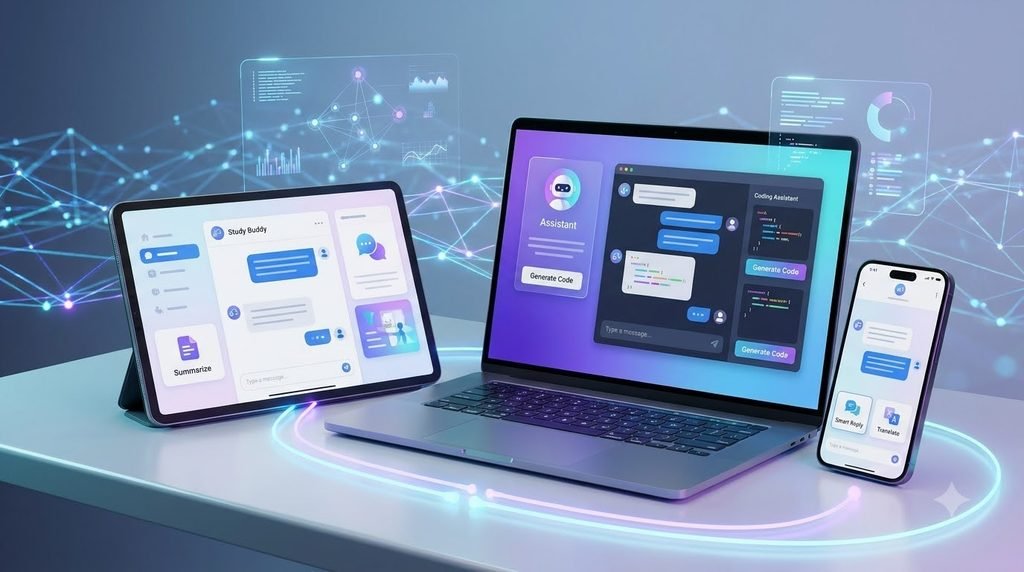
Common Uses of AI Chatbots in Everyday Life
AI chatbots are useful in many different situations. Their capabilities depend on the model, the service, and the tools available to it. Below are some common ways people use them.
1. Learning and Education
Students can use AI chatbots to understand difficult subjects, review important concepts, practice languages, and generate study questions.
For example, a student who finds a science topic confusing can ask the chatbot to explain it using simple words and everyday examples.
AI chatbots can also help create revision notes, explain mathematical methods, and suggest study schedules. However, students should use these tools to support learning rather than copy answers without understanding them.
2. Writing and Content Creation
Writers and content creators can use AI chatbots to brainstorm topics, create outlines, improve sentence clarity, and explore different writing styles.
A blogger, for example, can ask an AI assistant to suggest article headings for a beginner-friendly technology guide. The writer can then research the topic, add original insights, verify facts, and create the final article.
AI-generated text should not automatically be treated as ready-to-publish content. Human review, accuracy checks, originality, and genuine value remain important.
3. Customer Support
Many businesses use chatbots to handle common customer questions. A chatbot may explain return policies, provide basic product information, help users find support resources, or guide them through simple processes.
This can make customer service more accessible, especially when a business receives a large number of similar questions.
For complicated complaints or sensitive issues, customers may still need assistance from a human representative.
4. Language Translation and Communication
AI chatbots can help users understand unfamiliar words, translate short messages, and improve the clarity of written communication.
For example, someone writing an email in a second language can request a clearer version of their message. They can also ask the chatbot to explain grammar mistakes.
However, translations involving legal documents, official records, or important agreements should be reviewed by a qualified person when accuracy is essential.
5. Planning and Organization
AI assistants can help users organize everyday activities. They can suggest daily schedules, create checklists, prepare meeting agendas, and break large projects into smaller steps.
For example, a user planning a website launch can ask a chatbot to create a basic checklist covering content, design, testing, and promotion.
6. Programming and Technical Learning
Developers and beginners can use AI chatbots to understand programming concepts, explore code examples, explain error messages, and learn how different technologies work.
A beginner learning HTML can ask for an explanation of headings, paragraphs, links, and images. A more experienced developer might use an AI assistant to explore possible solutions to a coding problem.
Generated code should always be reviewed and tested before being used in a real project. AI-generated code can contain errors, security weaknesses, or outdated practices.
Popular AI Chatbot Tools You Can Explore
Several services provide conversational AI features. Each has its own capabilities, interface, limitations, and pricing structure.
ChatGPT
ChatGPT is an AI assistant that can help with writing, learning, brainstorming, explanations, coding, and other tasks. Its available features depend on the plan and model.
Google Gemini
Google Gemini is Google’s AI assistant. It can help users with questions, writing, learning, and other supported tasks. Its features may vary by region and account.
Microsoft Copilot
Microsoft Copilot is an AI assistant from Microsoft. It provides conversational assistance and may offer additional features through Microsoft’s products and services.
Claude
Claude is an AI assistant developed by Anthropic. People use it for tasks such as writing, analysis, explanations, and working with information.
How Should Beginners Choose an AI Chatbot?
There is no single chatbot that is best for every person. The right choice depends on what you want to accomplish.
- For everyday questions, explore a general-purpose AI assistant.
- For writing support, compare how different tools handle editing and explanations.
- For studying, choose a tool that explains concepts clearly.
- For coding, look for features that support code explanations and testing.
- For business tasks, review privacy, security, and integration options before using a service.
Always check the current pricing, usage limits, privacy information, and available features on the official service website.
Benefits of Using AI Chatbots
AI chatbots can provide several practical benefits when users understand their limitations.
- Time savings: They can help with first drafts, summaries, and routine questions.
- Learning support: They can explain unfamiliar topics in different ways.
- Idea generation: They can suggest possible approaches when users need inspiration.
- Flexible communication: Users can ask questions in natural language.
- Writing assistance: They can help improve clarity, structure, and grammar.
- Accessibility: Many services provide interfaces that are easy for beginners to use.
The greatest benefit comes from combining AI assistance with human judgment, experience, and careful review.

Limitations of AI Chatbots
Although AI chatbots can be helpful, they also have limitations. Understanding these limitations helps users avoid common mistakes and make better decisions.
1. Incorrect or Misleading Information
AI chatbots may generate incorrect answers, misunderstand a question, or provide information that is no longer current. A well-written response does not necessarily mean that every detail is accurate.
Users should verify important claims through trustworthy sources, particularly when the information could affect an important decision.
2. Limited Understanding of Real-World Context
AI chatbots process information through computational models. They do not experience the world in the same way humans do.
They may misunderstand sarcasm, cultural references, unusual situations, or details that were not included in the conversation.
3. Privacy Concerns
Users should be careful when sharing information with online AI services. Depending on the provider and its settings, submitted information may be processed or retained under the service’s data policies.
Avoid entering passwords, banking details, private identification numbers, confidential business information, or sensitive personal records unless you have verified that the service is appropriate and authorized for that information.
4. Dependence on Internet and Service Availability
Many online AI chatbots require an internet connection. Some services may also have usage limits, temporary outages, regional restrictions, or paid features.
Therefore, users should not assume that every AI chatbot will always be available or provide unlimited access.
5. Bias and Incomplete Responses
AI models learn from training data, which may contain gaps, errors, or biases. As a result, their answers can sometimes be incomplete or unfairly presented.
For important topics, users should compare multiple reliable sources and consider different perspectives rather than depending on a single chatbot response.
How to Use AI Chatbots Safely and Effectively
Getting useful results from an AI chatbot is not only about choosing the right tool. It also depends on how you communicate with it and how carefully you review its answers.
1. Ask Clear and Specific Questions
Instead of asking a very broad question, explain exactly what you need.
Less specific: “Tell me about technology.”
More specific: “Explain how artificial intelligence is used in education, using five simple examples for beginners.”
A clear question gives the chatbot better guidance about the type of response you expect.
2. Provide Useful Context
Explain your experience level, purpose, and preferred format when they matter.
For example, you can say, “I am a beginner learning website development. Explain HTML links using simple examples.”
This helps the chatbot adjust its explanation to your needs.
3. Verify Important Information
Do not automatically trust every answer. Check dates, statistics, technical instructions, quotations, and factual claims using reliable sources.
If a chatbot provides references, open the original sources and confirm that they actually support the information.
4. Protect Your Personal Information
Do not share private information unnecessarily. Read the provider’s privacy policy and understand its data controls before using a chatbot for work or personal matters.
5. Review AI-Generated Content
If you use an AI chatbot to prepare an article, email, presentation, or other content, review it before publishing or sending it.
Correct errors, add relevant details, check originality, and make sure the final result reflects your own purpose and standards.
Practical Examples of AI Chatbot Prompts
Beginners can get started by trying simple, specific instructions. Here are some examples you can adapt for different tasks.
Example 1: Learning a New Topic
“Explain machine learning in simple English. Assume I am a complete beginner. Give me three everyday examples and finish with a short summary.”
Example 2: Improving Writing
“Review the paragraph below and improve its grammar and clarity. Keep the original meaning, use natural English, and explain the main changes.”
Example 3: Creating a Study Plan
“Create a seven-day beginner study plan for learning basic computer skills. Include one main topic and one practical activity for each day.”
Example 4: Understanding a Technical Problem
“Explain this website error in simple language. Tell me the possible causes, what I should check first, and how to test the solution safely.”
These examples show how clear instructions can make AI chatbot responses more useful. You can adjust the wording according to your goals.
The Future of AI Chatbots
AI chatbot technology continues to develop. New models and services are improving their ability to understand conversations, process different types of information, and work with digital tools.
Some AI assistants already support features beyond text conversations, including voice interaction, image understanding, file analysis, and connections with other applications. Availability varies between platforms.
In the future, AI chatbots may become more integrated into education, customer support, workplace software, research, and everyday digital services.
However, progress in AI will also make responsible use increasingly important. Privacy, accuracy, transparency, security, and human oversight will remain important considerations.
Frequently Asked Questions About AI Chatbots
What is an AI chatbot in simple words?
An AI chatbot is a computer program that uses artificial intelligence to communicate with people. You can ask it questions, request explanations, and get help with supported tasks through text or voice.
Are AI chatbots free to use?
Some AI chatbots offer free versions, while others provide paid plans or additional features. Free access may include usage limits, and pricing can change over time.
Can AI chatbots understand human language?
Modern AI chatbots can process many forms of human language and generate relevant responses. However, they can still misunderstand questions, context, or expressions.
Are AI chatbot answers always accurate?
No. AI chatbots can make mistakes, provide outdated information, or generate unsupported claims. Important information should always be checked using reliable sources.
Can students use AI chatbots for learning?
Yes. Students can use them to understand difficult topics, practice languages, create revision questions, and explore examples. They should follow their school’s academic rules and use AI as a learning aid rather than a replacement for their own work.
Which AI chatbot is best for beginners?
There is no universal best option. ChatGPT, Google Gemini, Microsoft Copilot, and Claude are examples of conversational AI assistants. Beginners can compare their features, accessibility, and usage limits to find a suitable option.
Can I use an AI chatbot for my business?
Yes. Businesses may use AI chatbots for customer support, content planning, internal assistance, and other tasks. Before using one, review its privacy, security, accuracy, and data-handling policies.
Conclusion
AI chatbots have made artificial intelligence easier for ordinary people to access and use. They can help with learning, writing, communication, planning, customer support, and many other everyday activities.
Understanding how AI chatbots work is the first step toward using them effectively. It is equally important to recognize their limitations, verify important information, and protect personal data.
For beginners, the best approach is to start with simple questions, provide clear instructions, and review the answers carefully. AI chatbots can be powerful digital assistants, but human judgment and responsibility are still essential.
Explore more beginner-friendly AI guides on HMPROMPT to learn about artificial intelligence, useful AI tools, and practical ways to work with modern technology.