
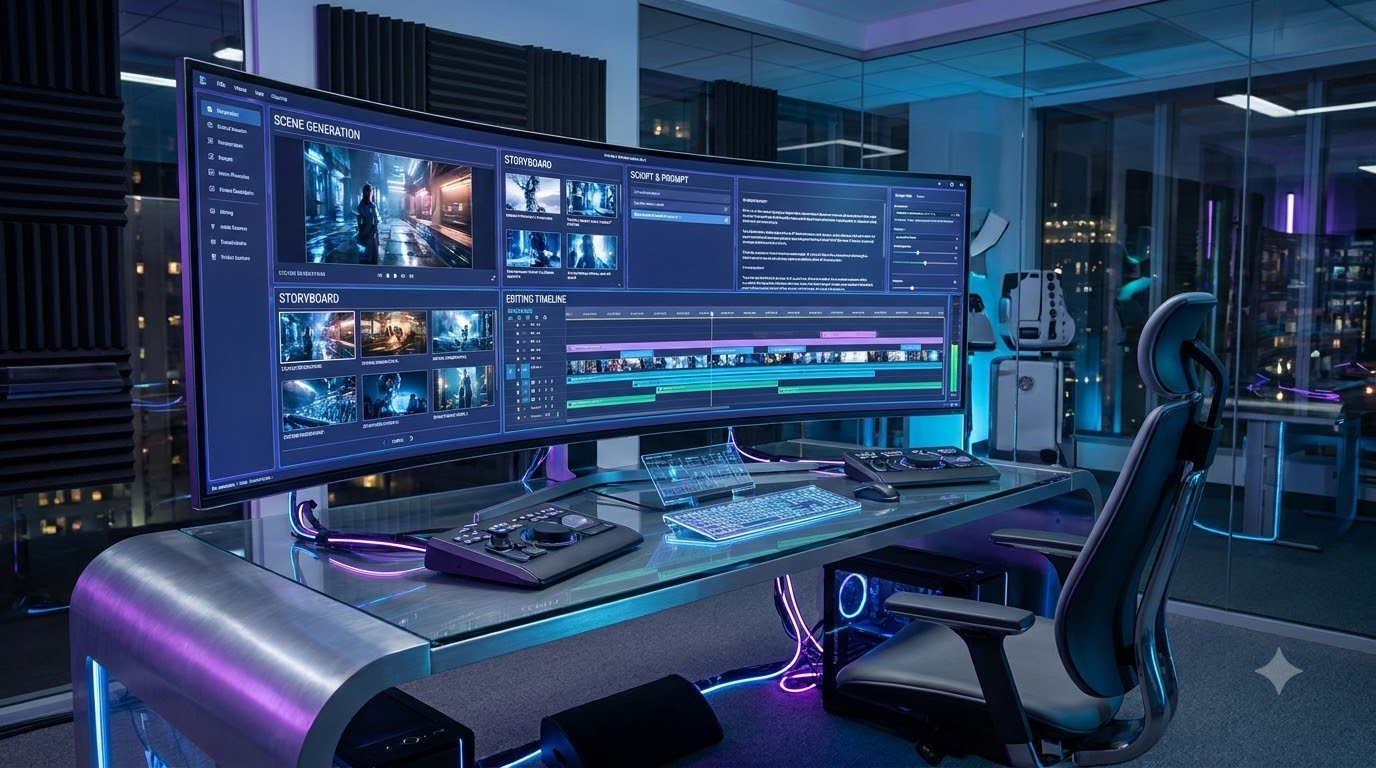
How to Create 10-Minute AI Videos with One Prompt: A Complete Beginner’s Guide
Creating long-form videos used to require a combination of writing skills, video editing experience, voice recording equipment, and hours of manual work. Today, artificial intelligence is changing the way creators approach video production. With modern AI tools, beginners can turn a simple idea into a structured video using a combination of script generation, visual creation, voiceovers, and automated editing.
One particularly interesting development is the ability to plan an entire video using a single detailed prompt. Instead of starting every production task from scratch, creators can describe what they want and use AI to help organize the different stages. This approach can make video creation more accessible to people who have limited editing experience or do not want to appear in front of a camera.
However, creating a complete 10-minute video is not always as simple as pressing one button. A useful result usually requires planning, reviewing generated scenes, correcting mistakes, and assembling everything into a coherent story. Understanding this process is important before relying on automation.
What Is AI-Powered Long-Form Video Creation?
AI-powered long-form video creation is the process of using artificial intelligence to produce videos that contain multiple scenes, a connected storyline, narration, background visuals, and other supporting elements. These videos can be educational tutorials, animated stories, documentaries, explainers, or informational presentations.
Traditional video production often involves several separate activities. A creator writes a script, records narration, searches for suitable footage, edits clips, adds transitions, and adjusts audio. AI tools can assist with many of these activities by generating drafts and reducing repetitive work.
For example, someone who wants to create an educational video about space exploration can begin with a topic description. An AI writing assistant can help prepare an outline and narration. A visual generation tool can create illustrations of planets and spacecraft, while a text-to-speech service can produce narration. Finally, a video editor can combine the different elements into a complete presentation.
The important point is that AI supports the production process rather than automatically guaranteeing a professional result.
Why Are Creators Interested in 10-Minute AI Videos?
Longer videos provide more room to explain a subject, develop a story, and answer common questions. A creator can introduce a problem, explore different ideas, provide examples, and finish with a meaningful conclusion.
There are several reasons why this format attracts new creators:
- More room for explanations: Complex subjects can be divided into smaller sections instead of being compressed into a short clip.
- Faceless production: Creators can use narration, animation, illustrations, and screen recordings without showing their faces.
- Flexible content formats: The same production workflow can support educational videos, storytelling, tutorials, and documentaries.
- Time-saving assistance: AI can help with brainstorming, first drafts, scene descriptions, and repetitive editing tasks.
- Beginner accessibility: People can experiment with video production without immediately purchasing expensive recording equipment.
These advantages make AI video creation an interesting option for individuals, small teams, educators, and independent content creators.
Can One Prompt Really Create a Complete Video?
A prompt is a written instruction that tells an AI system what to produce. A simple prompt might request a video about the history of ancient civilizations. A more detailed prompt can specify the target audience, video duration, visual style, narration tone, scene structure, and ending.
Some AI workflows use one main prompt to coordinate several production stages. The prompt acts as a starting instruction, while different tools or automated steps handle the script, scenes, narration, and final assembly.
It is important to understand the difference between generating a video automatically and creating a finished video that is ready to publish. An AI system may produce a useful first version, but it can still contain inaccurate information, inconsistent characters, awkward transitions, or unsuitable visuals.
Human review remains an essential part of the process. A creator should check the facts, listen to the narration, inspect the scenes, and make corrections before publishing.
What Types of Videos Can You Create?
The same general workflow can be adapted to several types of content.
1. Educational Videos
Educational videos explain subjects such as science, technology, geography, history, and everyday learning. AI can help organize information into understandable sections and suggest supporting illustrations.
2. Animated Story Videos
Storytelling videos use characters, locations, dialogue, and connected scenes. They are especially suitable for creators who want to experiment with animation without drawing every frame manually.
3. Documentary-Style Videos
Documentary-style content explores real events, historical subjects, discoveries, or interesting facts. These videos require careful research because generated explanations should not be treated as automatically verified information.
4. Tutorial and Explainer Videos
Tutorials show viewers how to complete a task. Screen recordings, diagrams, narration, and step-by-step instructions can make these videos easier to follow.
Understanding the Complete Production Process
A practical AI video workflow can be divided into six main stages:
- Topic selection: Decide what the video will explain or communicate.
- Script development: Create an organized narration with an introduction, main sections, and conclusion.
- Scene planning: Divide the script into visual scenes and describe what viewers should see.
- Visual and audio generation: Create or collect appropriate images, video clips, narration, and sound effects.
- Video assembly: Arrange the scenes, synchronize narration, and improve pacing.
- Final review: Check accuracy, quality, copyright, sound levels, and presentation before publishing.
Understanding these stages makes the process easier to manage. Rather than expecting one tool to solve every problem, creators can choose suitable tools for each task and connect them into a reliable workflow.

Essential AI Tools for Creating Long Videos
A successful AI video project does not necessarily require dozens of applications. In fact, beginners can start with a small collection of tools that perform different jobs. The best choice depends on the type of video, available budget, language, and desired visual quality.
1. AI Writing Assistants for Script Creation
The first requirement is a well-organized script. AI writing assistants such as ChatGPT can help generate video outlines, narration, scene descriptions, character details, and dialogue.
Instead of asking an AI assistant to write a complete video without instructions, provide enough information to guide its response. Include the subject, target audience, desired duration, language, tone, and number of sections.
For example, a creator making a science video could request an engaging introduction, five educational sections, simple explanations, interesting examples, and a conclusion. The resulting draft should then be checked and improved.
2. AI Video Generation Tools
AI video generators transform text instructions or reference images into short video clips. Depending on the platform, they may support camera movement, animation, realistic environments, and different visual styles.
Google Flow and other modern video-generation platforms are examples of tools creators can explore. Their features, availability, generation limits, and pricing can change, so it is worth checking the current terms before selecting one.
One important limitation is clip duration. Many video generators produce relatively short clips rather than an entire 10-minute video in one generation. Longer projects may therefore require several clips to be generated and assembled.
3. AI Voiceover and Text-to-Speech Tools
Voice narration helps explain what is happening on screen. Text-to-speech tools can convert a written script into spoken audio using different voices, languages, and speaking styles.
When selecting a voice, consider pronunciation, clarity, pacing, and natural expression. A voice that sounds robotic or speaks too quickly can make even well-researched content difficult to enjoy.
Always review the licensing conditions of a voice service. If you use voice cloning, make sure you have permission from the person whose voice is being replicated.
4. Video Editing Software
Video editing software brings individual clips, narration, music, and visual elements together. Tools such as CapCut and other editing applications can help creators arrange scenes, add subtitles, adjust audio, and export the finished project.
Choose software that supports your device and the video resolution you need. Beginners can start with simple editing features rather than trying to learn every advanced function at once.
How to Create a Complete Video Using One Main Prompt
The following workflow demonstrates how a single detailed instruction can guide a multi-stage production process. It is a practical approach inspired by the one-prompt AI video creation concept, not a promise that every platform can generate a complete video with one click.
Step 1: Select a Clear Video Topic
Start with one subject that can be explained within approximately ten minutes. Avoid combining unrelated topics because they can make the final video confusing.
For example, instead of choosing a broad topic such as technology, select something more specific, such as how artificial intelligence helps modern healthcare research. A focused subject makes research, scripting, and visual planning easier.
Step 2: Generate the Video Script
Ask your writing assistant to create a structured script. Include a strong opening, a short explanation of the topic, several main sections, practical examples, and a conclusion.
Request natural language rather than repetitive promotional sentences. If the subject includes technical information, ask the AI to explain difficult terms in simple language.
Step 3: Divide the Script into Scenes
A long script should not be treated as one continuous visual instruction. Divide it into scenes that match the narration. Each scene should communicate one main idea.
For instance, a video about solar energy might include scenes showing sunlight reaching solar panels, electricity being generated, energy storage systems, and homes using renewable electricity.
Step 4: Create Consistent Visuals
Describe the appearance of important characters, locations, objects, and visual styles before generating scenes. If the video contains a recurring character, use the same reference image and character description whenever the platform supports them.
Consistency is especially important in animated stories. Without clear descriptions, the same character may appear with different clothing, facial features, or proportions in different scenes.
Step 5: Generate Narration
Convert the approved script into voiceover audio. Listen to the entire narration and correct incorrect pronunciation, unnatural pauses, or sentences that sound difficult to understand.
Step 6: Assemble the Video
Import the generated clips and narration into your editor. Arrange the visuals according to the script, synchronize scenes with the spoken words, and add appropriate transitions.
Background music should support the subject without overpowering the narration. Use properly licensed music or audio that you have permission to use.
A Reusable Main Prompt for AI Video Planning
The following example can be adapted to different topics. It is designed to create a production plan rather than assume that every AI platform can generate all video elements automatically.
You are an experienced AI video production assistant.

Create a detailed production plan for a 10-minute
educational YouTube video.

Video topic: [INSERT TOPIC]
Target audience: Beginners
Language: English
Style: Clear, engaging and informative

Requirements:

1. Write an original and well-structured script.
2. Include an engaging opening.
3. Divide the script into logical sections.
4. Create a scene-by-scene visual plan.
5. Describe each scene clearly.
6. Maintain consistent characters and locations.
7. Suggest suitable narration and background visuals.
8. Include a meaningful conclusion.
9. Avoid unsupported facts and repetitive content.
10. Estimate narration and scene durations.

Present the script and scene plan separately.
After generating the plan, review it and use suitable tools to create each production element. This approach provides more control over the final video and makes mistakes easier to identify.

Creating a Ten-Minute Video Step by Step
Once the script and scene plan are ready, the next stage is turning the written material into an actual video. This is where planning becomes especially valuable. A well-organized production process helps prevent missing scenes, repeated visuals, and narration that does not match what viewers see.
Step 1: Plan the Video Duration
A ten-minute video needs enough meaningful information to hold the viewer’s attention. The duration should come from the content rather than unnecessary repetition.
For a typical educational video, you could organize the timeline like this:
- 00:00–00:40: Introduce the subject and explain why it matters.
- 00:40–02:00: Provide background information and basic concepts.
- 02:00–05:00: Explain the main ideas with examples.
- 05:00–08:30: Explore practical applications and important details.
- 08:30–10:00: Summarize the lesson and provide a conclusion.
This is only a planning example. Some subjects need more explanation, while others can be covered effectively in less time.
Step 2: Create a Scene List
Divide the script into individual visual sections. Each section should have a clear purpose and support the narration.
Imagine creating a video about how artificial intelligence works. A scene list could look like this:
- Scene 1: A modern computer displaying an AI interface.
- Scene 2: An animation showing information entering a computer system.
- Scene 3: A visual explanation of how data is processed.
- Scene 4: Examples of AI applications in everyday life.
- Scene 5: A comparison of human decision-making and machine assistance.
- Scene 6: A summary of the main benefits and limitations.
This list gives the video a visual direction. It also helps the creator determine which scenes need generated footage, illustrations, screen recordings, or simple text animations.
Step 3: Write Detailed Visual Prompts
A good visual prompt describes the subject, environment, action, camera perspective, lighting, and overall appearance. The more specific the description, the easier it is to communicate the intended result to an AI video generator.
For example, consider this prompt:
Create a cinematic educational scene showing a modern
robotic laboratory. A robotic arm carefully handles
a small electronic component while a researcher
observes the process.

Use realistic lighting, a clean laboratory environment,
smooth camera movement and a professional documentary
visual style. Keep the main subject clearly visible.
This instruction gives the generation system more useful information than a short request such as “show a robot in a laboratory.”
Step 4: Maintain Character and Visual Consistency
Character consistency can be challenging when generating multiple scenes separately. An AI model may change clothing, facial details, body proportions, or other characteristics between generations.
To reduce these differences, create a reference description before generating the video. Include details such as age range, clothing, hairstyle, colors, and distinctive visual features. Use reference images when the platform allows them.
For animated storytelling, prepare a separate character sheet containing the descriptions of every important character. Keep the same descriptions throughout the project.
Also maintain consistency in the overall visual style. Combining realistic footage, cartoon illustrations, and unrelated animation styles without a clear reason can make the finished video look disconnected.
Step 5: Generate and Review Voiceovers
Voiceover quality has a direct effect on how comfortably viewers can follow a video. The narration should sound natural and match the subject.
For an educational video, a calm and confident voice may work well. For an animated story, a more expressive voice may help communicate emotions and character differences.
Before importing the audio into your editing software, check the following:
- Are all words pronounced correctly?
- Does the narration have natural pauses?
- Is the speaking speed comfortable?
- Does the voice match the intended audience?
- Are there any missing or repeated sentences?
If a particular sentence sounds unnatural, regenerate or correct that section instead of accepting the entire recording without review.
Step 6: Combine Visuals and Audio
Import the generated scenes and narration into a video editor. Place the voiceover on the audio timeline, then arrange the visuals to match the spoken content.
Pay attention to scene duration. A visual should remain on screen long enough for viewers to understand it, but it should not stay unnecessarily long after the narration has moved to another subject.
Use simple transitions where appropriate. Too many effects, animations, and unnecessary zooms can distract viewers from the actual information.
How to Make AI Videos More Engaging
Technical quality alone does not make a video interesting. A good video needs a clear reason for viewers to continue watching.
Start with a Strong Opening
The opening should immediately introduce the subject or an interesting question. Instead of spending the first minute on a long greeting, explain what the audience will learn and why the topic is worth exploring.
Use Examples Instead of Only Definitions
Examples help viewers understand abstract concepts. If you are explaining automated video editing, show how several short clips can be arranged into one connected sequence.
Include Useful Visual Changes
Use diagrams, demonstrations, screenshots, animations, and relevant footage to support different sections. Visual variety should improve understanding rather than simply create movement.
Keep the Narration Focused
Remove unnecessary sentences and repeated explanations. Every section should add new information, answer a question, or help viewers understand the subject more clearly.
Common Production Problems and Their Solutions
Problem: Characters look different in every scene. Use reference images and consistent character descriptions.
Problem: The narration does not match the visuals. Prepare a scene-by-scene timeline before assembling the video.
Problem: AI-generated information is inaccurate. Verify important claims using reliable sources before publishing.
Problem: The video feels repetitive. Improve the script structure and remove scenes that do not add meaningful information.
Problem: Audio sounds unclear. Review voice settings, recording levels, background noise, and narration pacing.
Solving these issues during production is generally easier than trying to repair an entire video after it has been exported.

How to Optimize Your AI Video Before Publishing
After assembling the video, do not immediately upload it. A final review can help identify problems that may affect the viewing experience. Even a well-planned AI production can contain incorrect subtitles, unexpected visual changes, audio problems, or scenes that do not match the narration.
1. Check the Video Resolution
Choose an export resolution suitable for the intended platform. For standard YouTube landscape videos, 1920 × 1080 pixels is a common Full HD option. Higher resolutions may be useful when the source material supports them.
Also check the frame rate, aspect ratio, and export format. A consistent 16:9 aspect ratio is generally appropriate for traditional long-form YouTube videos.
2. Improve Audio Quality
Clear narration is more important than adding complicated sound effects. Make sure the voice is easy to understand and that background music remains quieter than the main audio.
Listen to the complete exported video using headphones or good speakers. Check for sudden volume changes, silent sections, and audio that begins or ends unexpectedly.
3. Add Accurate Subtitles
Subtitles make videos easier to follow, particularly for viewers who watch without sound or have difficulty understanding certain accents. AI subtitle generators can create an initial transcript, but manually review the result.
Incorrect names, technical terms, and punctuation can make subtitles confusing. Correct these mistakes before publishing.
4. Design an Informative Thumbnail
A thumbnail is one of the first things potential viewers notice. Use a clear subject, readable text, and a visual that accurately represents the video.
Avoid misleading images or exaggerated claims. A professional thumbnail should create interest while setting the correct expectation about the content.
How to Publish AI Videos on YouTube
Publishing is another important stage of the production process. A video should have a clear title, useful description, appropriate thumbnail, and relevant audience information.
Choose a Descriptive Title
Use a title that communicates the actual subject of the video. For example, “How Artificial Intelligence Is Changing Video Editing” is more informative than a vague title that does not explain what viewers will learn.
Write a Helpful Description
Explain what the video covers, identify its main topics, and provide relevant links where appropriate. Avoid filling the description with unrelated search terms.
Organize Videos into Playlists
Playlists can help viewers discover related content. A creator publishing AI tutorials might organize videos into categories such as AI video generation, AI editing, beginner tutorials, and automation workflows.
Review Platform Requirements
Creators should understand the latest YouTube policies before publishing AI-generated material. Realistic altered or synthetic content may require disclosure under YouTube’s applicable rules. Copyright requirements and monetization standards also apply to AI-assisted productions.
Can AI-Generated Videos Be Monetized?
AI tools can help creators produce content, but using artificial intelligence does not automatically make a channel eligible for monetization. Platforms evaluate the overall content and whether it provides genuine value to viewers.
Creators should avoid producing large quantities of repetitive videos that contain little original explanation, meaningful editing, or educational value. A collection of automatically generated clips with nearly identical scripts may struggle to demonstrate originality.
Instead, focus on developing a recognizable content style. Research subjects carefully, add original explanations, use relevant examples, and review every video before publishing.
For creators interested in monetization, the following practices are worth considering:
- Develop original video topics and scripts.
- Add meaningful explanations and commentary.
- Use visuals that are relevant to the subject.
- Verify factual information before publication.
- Use properly licensed music, footage, images, and voices.
- Avoid misleading titles and thumbnails.
- Follow the latest platform monetization and disclosure policies.
Remember that views, subscribers, revenue, and monetization approval are not guaranteed. Quality and consistency are more useful long-term goals than relying on promises of instant success.
Copyright and Responsible Use of AI Tools
Copyright is an important consideration when creating videos with artificial intelligence. Not every image, music track, video clip, or voice available online is free to use.
Before using an asset, review its licensing conditions. Some AI platforms allow commercial use under specific plans, while others may apply restrictions. Free access does not necessarily mean unrestricted commercial rights.
Creators should also avoid copying another channel’s complete script, distinctive presentation, or original visual material. Studying successful content formats can provide inspiration, but the final production should contain original work.
When using AI-generated information, verify important claims rather than assuming the output is correct. This is especially important for medical, financial, legal, and scientific subjects.
Common Mistakes Beginners Should Avoid
Relying completely on automation: AI-generated results still need human review. Automation can save time, but it cannot replace every creative decision.
Writing vague prompts: Unclear instructions often produce generic scripts and unrelated scenes. Describe the subject, style, audience, and expected result.
Ignoring storytelling: A long video should have a logical beginning, middle, and ending. Adding unrelated clips simply to increase duration does not improve quality.
Using too many tools: Beginners sometimes switch between several applications without understanding what each one does. Start with a simple workflow and add tools only when necessary.
Publishing without checking: Always review the complete video, including its audio, subtitles, visuals, and factual information.
Final Thoughts: Is AI Video Creation Worth Learning?
AI-powered video creation is an interesting opportunity for people who want to explore digital content production. It can make several technical tasks easier, from developing a script to creating visuals and preparing narration.
The one-prompt approach is particularly useful as a planning method because it allows creators to describe their desired result in one organized instruction. However, the best results usually come from combining AI assistance with careful human decisions.
If you are a beginner, start with one manageable project. Select a focused topic, prepare a useful script, generate a small number of scenes, and practice assembling them into a complete video. Once you understand the process, you can experiment with more advanced tools and automation.
There is no need to purchase every available AI application or build a complicated production system immediately. Focus on learning the fundamentals, improving your prompts, and understanding how different production stages work together.
Ultimately, successful video creation is not simply about producing more content in less time. It is about creating something that viewers genuinely want to watch, understand, and learn from. AI can assist with that goal, but originality, accuracy, creativity, and useful information remain the foundation of a valuable video.