
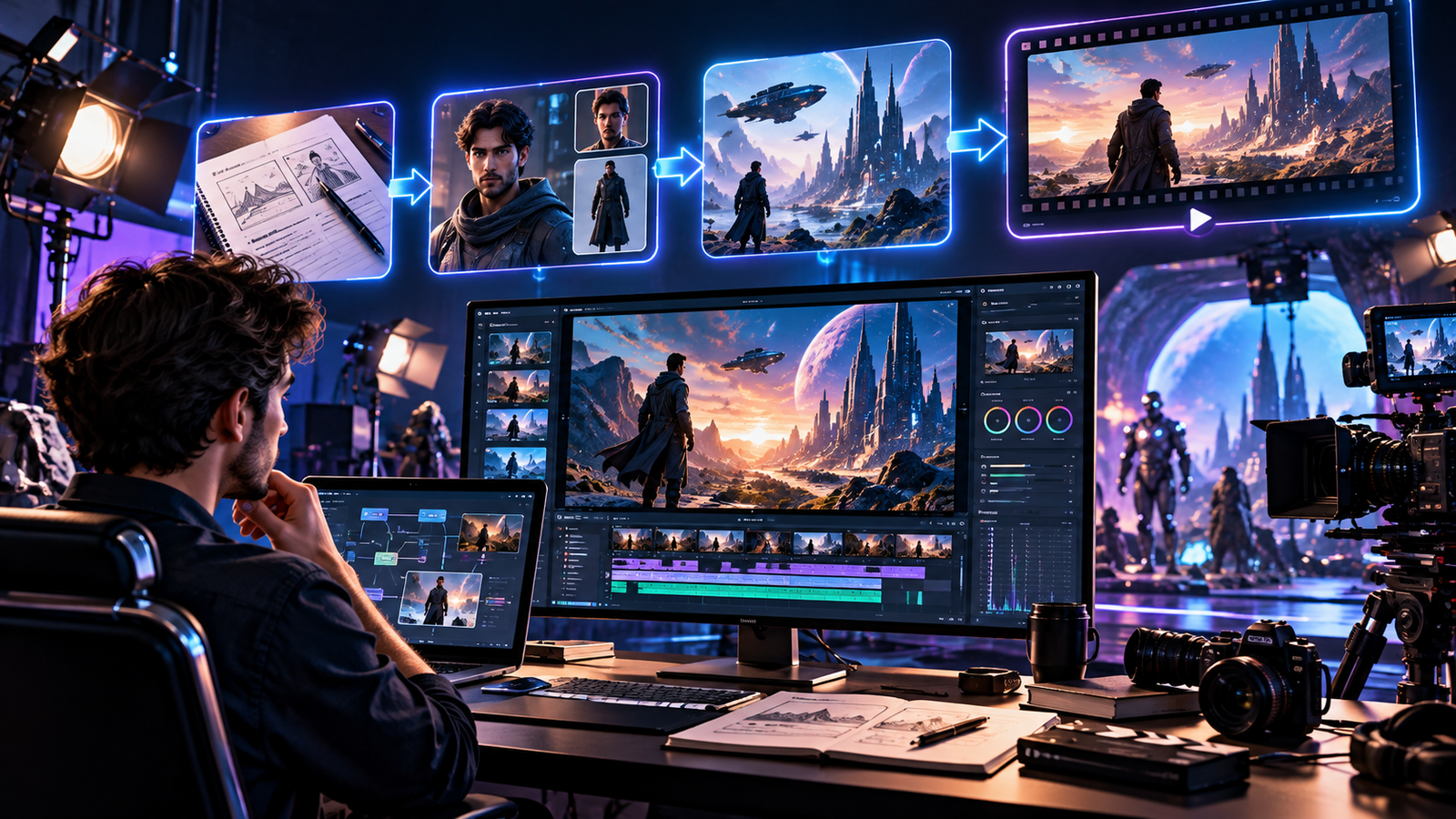
How to Make AI Movies: A Complete Step-by-Step Guide
Artificial intelligence is changing how people create cinematic videos. Today, independent creators, filmmakers, and content publishers can use AI tools to develop characters, design fictional environments, generate video clips, and produce complete short films without traditional cameras or physical film sets. However, creating an impressive AI movie requires more than entering a prompt into a video generator. The best results come from combining creative storytelling, careful planning, consistent visual references, and thoughtful editing.
This guide explains how to make AI movies through a practical four-stage workflow. You will learn how to develop a story, prepare characters and digital assets, generate cinematic scenes, and assemble the final film. You will also discover useful AI video prompt techniques, common production challenges, and ways to reduce unnecessary generation costs.
What Is AI Filmmaking?
AI filmmaking is the process of using artificial intelligence tools to help create some or all of a film’s visual, audio, and production elements. Depending on the tools available, creators can generate images from text descriptions, animate reference images, produce character dialogue, create sound effects, and develop music for a finished video.
Unlike traditional filmmaking, AI-assisted production can reduce the need for physical locations, elaborate props, and large production teams. A creator can design a futuristic city, imagine a fantasy landscape, or visualize a dramatic action sequence using digital tools.
Nevertheless, AI does not automatically turn an idea into a coherent film. Generated clips may contain visual errors, inconsistent characters, or movements that do not match the intended story. Human direction remains essential for choosing the right shots, correcting mistakes, and making the final result understandable and engaging.
Step 1: Plan Your AI Movie Before Generating Anything
Develop a Clear Story Idea
Every successful film begins with an idea. Before opening an AI movie generator, decide what your story is about and why viewers should care. Think about the central conflict, the main characters, the setting, and the emotion you want the audience to experience.
For example, you could create a short science-fiction film about a space explorer who discovers an abandoned station. You might build suspense through unusual sounds, mysterious objects, and a final revelation. A simple story with a clear beginning, middle, and ending is often easier to produce than a complicated narrative with numerous characters and locations.
AI tools can help brainstorm alternative plots, suggest scene ideas, or improve a rough outline. However, you should make the important creative decisions yourself. Your original perspective is what gives the project its identity.
Create a Shot List
Once the story is clear, divide it into individual shots. A shot list describes what viewers will see, which characters appear, how the camera behaves, and how long the moment should last.
For example, a simple sequence might include:
- Establishing shot: Show a deserted space station from a wide angle.
- Character shot: Introduce the explorer entering the station.
- Detail shot: Show a mysterious object on a damaged control panel.
- Reaction shot: Capture the explorer noticing something unexpected.
- Closing shot: Reveal a clue that creates suspense for the ending.
This structure makes production more manageable because you can generate each shot separately. It also gives you a clear editing plan before spending time or credits on video generation.
Prepare a Visual Production Plan
Write down the intended visual style, lighting, color palette, aspect ratio, and overall atmosphere. Decide whether your movie should look realistic, animated, futuristic, documentary-inspired, or painterly.
Keeping these decisions consistent helps every scene feel like part of the same film. It also makes it easier to identify which reference images and prompt details are needed for each shot.

Step 2: Create Characters, Props, and Environments
Build Character Reference Sheets
Character consistency is one of the biggest challenges in AI filmmaking. When separate clips are generated independently, a character may appear with a different face, hairstyle, outfit, or body shape. A useful way to reduce these changes is to create a character reference sheet before producing the movie.
A reference sheet can include a close-up portrait, a full-body view, clothing details, distinctive facial features, and several viewing angles. If the character needs multiple outfits, create separate references for each version while preserving the same recognizable identity.
For a character who wears a helmet in one scene and ordinary clothing in another, document both appearances. Label the images clearly so that you can provide the correct references when generating each shot.
Design Props and Important Objects
Props can be just as important as characters. Weapons, vehicles, tools, furniture, and other recognizable objects should maintain their appearance throughout the film.
Suppose you generate an image of a futuristic energy sword, but its blade is too short. Instead of starting from scratch, use an image-editing tool that supports reference-based editing. Ask it to lengthen the blade while preserving the handle, materials, lighting, and background.
This targeted approach can reduce repetitive work and help you retain useful details from an image that already meets most of your requirements. Always inspect the revised image before using it as a reference for video generation.
Create Consistent Environments
Generate reference images for important locations, such as a spaceship interior, a city street, a forest, or a conference hall. Simple environments may require only one strong reference image, while complex action scenes often benefit from several views of the same location.
For example, prepare a wide view of a room, a side angle, and a closer view of the area where the main action occurs. These images help communicate the intended layout when generating different shots.
Organize your assets into folders for characters, outfits, props, environments, and approved images. Clear organization makes it easier to reuse references and reduces the risk of accidentally using the wrong design.
Step 3: Generate AI Video Clips
Choose a Suitable AI Video Generator
An AI video generator converts text instructions, reference images, or a combination of inputs into moving footage. Different tools offer different levels of control over motion, camera movement, duration, sound, and reference-image handling.
Examples of tools discussed in AI video workflows include OpenArt for image-related workflows, Seedance for video generation, and other compatible text-to-video or image-to-video systems. Features, supported durations, pricing, and availability can change, so check each tool’s current documentation before choosing it for a project.
Start with a short test instead of generating your entire movie immediately. A small experiment helps you evaluate whether a tool can reproduce the desired character, movement, and visual style.
Use Reference Images to Guide Each Scene
Whenever possible, provide the generator with the relevant character, prop, and environment references. Explain which visual details must remain unchanged and what should happen during the shot.
A useful AI video prompt usually describes five elements:
- Subject: Identify the character or main object.
- Action: Explain the movement or event taking place.
- Environment: Describe the location and background.
- Camera: Specify framing, angle, and movement.
- Style and constraints: Describe lighting, atmosphere, and details that must remain consistent.
For example, a prompt might describe a tired explorer slowly walking through a dim spacecraft corridor, with blue emergency lights reflecting off metal walls. The camera follows from behind at a steady pace, maintaining the character’s reference outfit and the corridor’s established design.
Specific instructions give the model a clearer target than vague requests such as “make a cinematic science-fiction video.” Even detailed prompts cannot guarantee perfect results, so review each generated clip carefully.

Try Continuous-Shot Prompts
A continuous-shot prompt describes one uninterrupted scene without planned cuts to different camera views. It works well for relatively simple movements, such as a character entering a room, looking at an object, or walking toward a doorway.
For these shots, describe the starting position, movement, camera behavior, and ending position. Avoid adding several unrelated actions if the scene does not need them.
Longer clips may provide more flexibility, but they can also increase the chance of visual drift or movement errors. If a complicated scene repeatedly produces inconsistent results, divide it into shorter shots and assemble them during editing.
Try Timestamped Prompts for Multiple Shots
Timestamped prompts divide a generated sequence into planned moments. For example, a short sequence might begin with a wide shot, move to a character close-up, and finish with a reaction shot.
Describe the action, framing, and approximate duration for each segment. Keep the sequence simple enough for the selected model to follow. Although some generators can create multiple planned views in one output, they may not reproduce every transition exactly as requested.
For scenes with complex action, generating individual clips often provides more control. You can select the best version of each moment instead of relying on one long generation to get everything right.
How to Improve AI Video Prompt Consistency
Visual consistency depends on both reference material and clear instructions. Repeat essential character details, provide the correct outfit reference, and specify which props should appear. If an object must remain unique, explicitly state that it should not be duplicated.
For example, if a character carries one double-ended staff, your prompt can specify that the character holds a single solid staff with one handle and two blades. This may reduce duplication errors, although it cannot eliminate every generation problem.
When a result is nearly correct, change one element at a time. Adjusting the camera angle, character movement, lighting, and prop design simultaneously makes it harder to determine which instruction improved or damaged the result.
Keep a record of successful prompts, reference images, model settings, and rejected versions. This production log helps you repeat successful techniques and avoid wasting credits on experiments you have already tried.
Step 4: Edit Your AI Movie Into a Complete Story
Arrange Clips in the Right Order
Generated clips are raw material, not a finished film. Video editing connects individual shots into a coherent sequence. Import your selected clips into a video editor, arrange them according to the shot list, and remove unnecessary moments.
Use wide shots to establish locations, medium shots to show interactions, and close-ups to emphasize expressions or important details. Varying the framing can make a scene easier to follow and give the audience a stronger sense of the action.
Pay attention to continuity between shots. Character positions, movement direction, lighting, and prop placement should feel reasonably consistent. If a transition looks confusing, consider shortening the clips, changing their order, or generating a more suitable connecting shot.
Add Dialogue, Sound Effects, and Music
Sound is an essential part of cinematic storytelling. Dialogue helps viewers understand the characters, environmental effects establish the setting, and music influences the emotional tone.
If your video generator supports audio, you can test dialogue or environmental sound effects during generation. However, consider requesting no background music when you want greater control over the final soundtrack. Adding music separately makes it easier to adjust timing and volume during editing.
When creating dialogue, describe more than the words. Include the intended speaking pace, tone, emotion, and vocal intensity. A nervous character may speak hesitantly, while a confident character may deliver the same line slowly and calmly.
Music generators, including Suno AI, can help creators explore soundtrack ideas. Select music that fits each scene and check the applicable usage rights for your intended publication. Balance dialogue and sound effects so that important speech remains clear.
Review and Export the Final Film
Watch the complete movie from beginning to end before exporting it. Check for distorted faces, duplicated props, abrupt cuts, inconsistent clothing, unnatural movements, audio problems, and spelling errors in any on-screen text.
Choose an export resolution and frame rate appropriate for your target platform. A vertical video may suit short-form social content, while a widescreen composition may be more suitable for a cinematic presentation. Keep an original project file so that you can make changes later.
How Much Does AI Filmmaking Cost?
The cost of an AI movie depends on the tools used, the number of generations, the required video quality, and the complexity of the scenes. Some services offer free trials or limited credits, while advanced generation features may require a paid subscription or additional credits.
Action scenes can be particularly expensive because fast movement, complex interactions, and detailed props may require several attempts. A short finished movie can therefore involve considerably more generated footage than viewers see in the final edit.
To control costs, test prompts using lower-cost settings or lower resolutions when available. Review the results before generating higher-quality versions. Reuse successful references, generate only the shots you need, and avoid repeatedly changing details that already work.
There is no universal budget for an AI film. Estimate the likely number of shots, test the most difficult scenes first, and calculate the cost using the current pricing of your selected tools.
Common AI Filmmaking Mistakes to Avoid
- Starting without a story: Plan the narrative before generating clips.
- Ignoring reference images: Maintain character and environment references throughout production.
- Writing vague prompts: Describe the subject, action, camera, and visual constraints clearly.
- Making every shot too complicated: Break complex sequences into smaller, manageable moments.
- Changing too many variables: Test one meaningful adjustment at a time.
- Skipping the editing stage: Use editing to improve pacing, continuity, sound, and storytelling.
- Ignoring usage rights: Check the licensing terms for generated assets, music, voices, and any recognizable third-party characters.
Frequently Asked Questions
1. Can beginners make AI movies?
Yes. Beginners can start with a short story, a small number of characters, and a few simple shots. Learning image generation, video prompting, and basic editing gradually is more manageable than attempting a complex film immediately.
2. What tools do I need to create an AI movie?
A typical workflow may include an AI image generator, an AI video generator, a video editor, and tools for music or sound effects. The exact combination depends on your budget, preferred style, and project requirements.
3. How do I keep AI characters consistent?
Create character reference sheets with clear facial details, clothing, and multiple viewing angles. Reuse the appropriate images in later generations and describe the important identity features consistently across prompts.
4. Are AI-generated movies expensive?
They can be inexpensive to experiment with, but costs may increase when complex scenes require many attempts or higher-quality generation. Testing at lower-cost settings and planning shots in advance can help control spending.
5. Can AI generate dialogue and sound effects?
Some AI video tools support generated speech or sound effects. The available capabilities vary by service. You can also add dialogue, environmental audio, and music separately during post-production for more control.
6. Why do AI-generated videos contain mistakes?
Video models may struggle with complicated motion, physical interactions, object continuity, and detailed instructions. Shorter shots, clearer prompts, useful references, and careful selection of generated clips can reduce these issues.
7. Can I monetize an AI-generated film?
Potentially, but monetization depends on the platform’s current policies, the originality of the work, applicable copyright rules, and the licenses for the assets used. Review these requirements before publishing or monetizing your film.
8. What is the best way to start an AI filmmaking project?
Begin with a short original story and create a shot list. Develop your main character and environment references, generate a few test clips, and refine the workflow before producing the complete sequence. Finish by editing the strongest shots into a coherent film.
Conclusion
Learning how to make AI movies is a process of combining creative direction with practical experimentation. Start with a strong story, plan the individual shots, prepare consistent character and environment references, and use clear prompts to generate the footage. Then refine the best clips through editing, dialogue, sound design, and music.
The most important lesson is to work in manageable stages. Test difficult scenes early, make focused adjustments, and review each generation before spending more credits. With a structured workflow and regular practice, you can improve your ability to create engaging AI-generated films while keeping production time and costs under control.