AI Photo Editing Prompts: 25+ Creative Prompts to Transform Your Photos
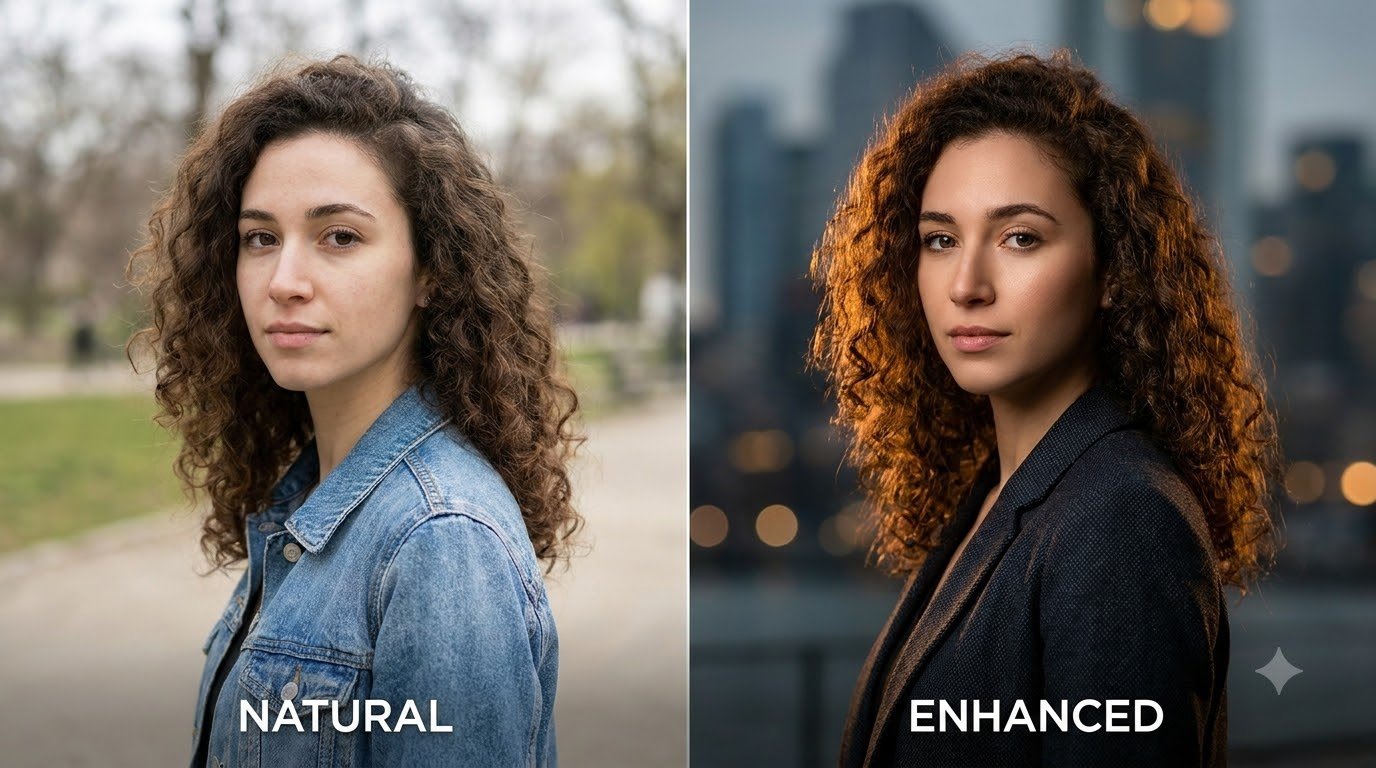
Photo editing has become easier and more creative with the help of artificial intelligence. You no longer need advanced editing skills or expensive software to experiment with professional-looking photographs. Modern AI image editing tools allow users to change backgrounds, improve lighting, explore different photography styles, and transform ordinary pictures into creative visual experiences.
However, getting a good result is not always as simple as uploading a photograph and asking an AI tool to make it better. The instructions you provide play an important role in determining the final result. These instructions are commonly called AI photo editing prompts.
Whether you want to create a cinematic portrait, improve an outdoor photograph, experiment with fashion photography, or give an old picture a fresh appearance, a well-written prompt can help you communicate your ideas more clearly.
In this guide, you will discover how AI photo editing prompts work, how to write better instructions, and more than 25 creative examples you can adapt for your own photographs. You will also learn how to avoid common mistakes and improve your results without relying on complicated editing techniques.
What Are AI Photo Editing Prompts?
AI photo editing prompts are written instructions that tell an artificial intelligence image editor how you want an existing photograph to change. Instead of manually adjusting every detail, you describe the changes in ordinary language and let the supported editing tool interpret your instructions.
For example, imagine you have a simple outdoor portrait. You might want to replace its background with a beautiful sunset, improve the lighting, and create a cinematic appearance. You can describe these changes in a single prompt rather than making every adjustment yourself.
A useful prompt normally explains the subject, the desired changes, the visual style, and the details that should remain unchanged. This gives the editing system a clearer understanding of your expectations.
How Does AI Photo Editing Work?
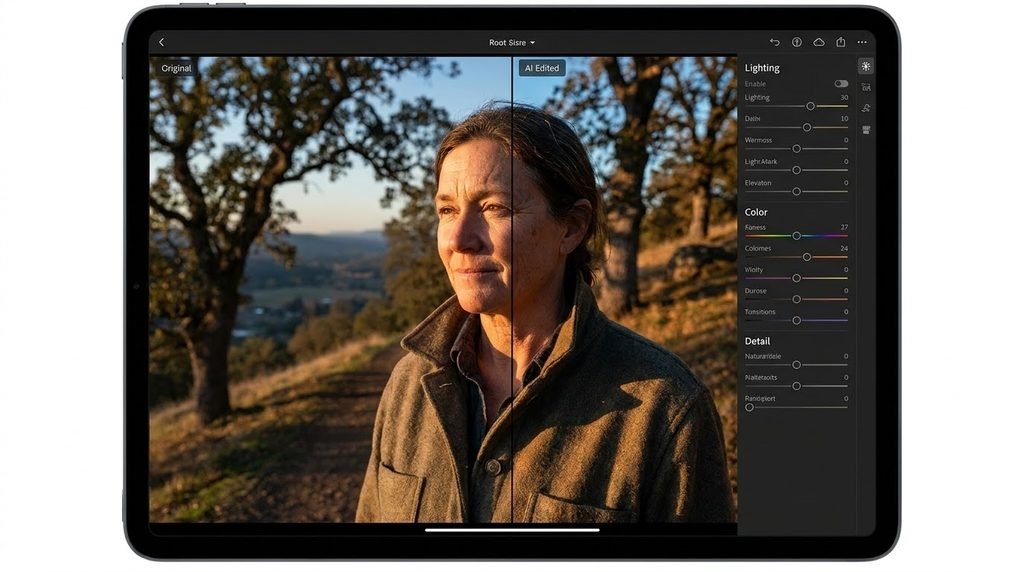
AI photo editing tools use machine learning models to understand images and interpret editing instructions. Depending on the tool, they may identify objects, recognize visual patterns, generate new image details, or modify selected areas of an existing photograph.
For example, an editing tool may be able to:
- Replace an existing background with a different environment.
- Adjust brightness, contrast, and color appearance.
- Improve image sharpness and visual clarity.
- Experiment with cinematic, vintage, or artistic styles.
- Change clothing colors or other selected visual details.
- Remove distracting objects when the editing tool supports it.
- Create different visual compositions from an uploaded image.
Not every AI editor supports all these features, and results can vary depending on the original photograph, the editing model, and the complexity of the requested changes.
Why Are Good AI Photo Editing Prompts Important?
A vague instruction can produce an unpredictable result. For example, simply writing “make my photo beautiful” does not explain what should actually change. The AI tool must guess your preferred style, lighting, background, and composition.
A more detailed instruction gives the tool useful visual information. You can describe the background, lighting direction, colors, camera framing, and overall appearance you want.
Good prompts are especially useful when you want to maintain consistency across multiple photographs. They can also help beginners experiment with different creative ideas without learning every technical editing feature first.
What Makes an Effective AI Image Editing Prompt?
An effective prompt does not necessarily need to be extremely long. It needs to communicate the important details clearly. Consider including these five elements:
1. Describe the Main Subject
Start by explaining what appears in the original photograph. For example, mention whether it is a portrait, a car, a product, a landscape, or a group photograph. This establishes what the editing task is about.
2. Explain the Requested Changes
Be specific about what you want the tool to modify. Instead of asking for a better picture, request softer lighting, a cleaner background, improved colors, or a particular visual effect.
3. Choose a Visual Style
Describe the appearance you prefer. Some popular styles include cinematic photography, natural portrait photography, editorial fashion photography, vintage film, minimalism, and dramatic studio photography.
4. Describe Lighting and Composition
Lighting can completely change the mood of a photograph. You might request soft natural daylight, warm sunset lighting, dramatic side lighting, or balanced studio illumination. You can also describe whether the subject should appear in a close-up, medium shot, or full-body composition.
5. Mention What Must Stay the Same
This is particularly important when editing personal photographs. If you want to preserve the person’s identity, facial features, natural expression, and original pose, explicitly mention those requirements.
For example, you could write: “Preserve the person’s original facial features, identity, and natural expression. Change only the background and lighting.”
Clear constraints help communicate your expectations, although no editing model can guarantee perfect preservation in every result.
AI Photo Editing Prompts for Beginners
If you are new to AI photo editing, begin with simple instructions. Choose one photograph, describe one main change, and review the result before adding more complicated effects.
For example, start by improving the lighting of a portrait. Once you understand how your selected tool responds, experiment with backgrounds, colors, and more advanced visual styles.
This gradual approach makes it easier to understand which instructions produce useful results and which ones need improvement.
25+ Creative AI Photo Editing Prompts You Can Try
One of the best ways to learn AI photo editing is to experiment with different styles. The following examples are original prompt ideas that you can copy, customize, and use with an image editing tool that supports uploaded photographs.
For the best experience, upload a suitable photograph first. Then paste the prompt and adjust its details according to your preferred result.
1. Cinematic Portrait Editing Prompt
Give an ordinary portrait a dramatic cinematic appearance with balanced colors and professional-looking lighting.
Edit the uploaded portrait into a cinematic photograph.
Preserve the person's original identity, facial features,
and natural expression. Add soft directional lighting,
subtle shadows, rich but natural colors, and a gently
blurred background. Create a professional movie-inspired
photographic atmosphere without changing the person's
original pose or adding unnecessary objects.
2. Professional Studio Portrait Prompt
This prompt is useful when you want a clean and polished studio-style photograph.
Transform the uploaded portrait into a professional
studio photograph. Preserve the subject's identity and
facial features. Use a clean neutral background, soft
studio lighting, balanced skin tones, realistic shadows,
and natural image details. Keep the composition simple
and elegant, like a professional portrait photography
session.
3. Golden Hour Photography Prompt
Golden hour photography creates a warm atmosphere that works particularly well for outdoor portraits.
Edit this photograph with a beautiful golden hour
photography style. Preserve the original person, facial
features, and pose. Add warm sunlight coming from the
side, soft natural highlights, gentle background blur,
and realistic environmental colors. Keep the image
natural and avoid excessive brightness or artificial
skin smoothing.
4. Luxury Fashion Photography Prompt
Experiment with a fashion editorial appearance suitable for creative portraits and clothing photography.
Turn the uploaded portrait into a luxury fashion
editorial photograph. Preserve the subject's identity
and original facial features. Use elegant studio
lighting, sophisticated color grading, a minimal
background, and refined photographic composition.
Maintain realistic fabric textures and natural skin
details. Create a premium magazine-inspired aesthetic.
5. Vintage Film Photography Prompt
Vintage effects can give modern photographs a nostalgic visual appearance.
Give the uploaded photograph a classic vintage film
appearance. Preserve the original subject and composition.
Add subtle film grain, slightly faded colors, gentle
warm tones, soft contrast, and natural photographic
texture. Make the result resemble an authentic old film
photograph rather than an exaggerated filter.
6. Rainy Night Cinematic Prompt
Create a dramatic nighttime atmosphere with reflections and carefully balanced lighting.
Edit the uploaded photograph into a cinematic rainy
night scene. Preserve the original subject and identity.
Add realistic wet surfaces, subtle reflections, soft
city lights, and atmospheric background lighting. Use
deep but detailed shadows and natural colors. Avoid
unrealistic objects and excessive neon effects.
7. Clean Instagram Portrait Prompt
This style is useful for people who want a polished but natural-looking social media photograph.
Enhance the uploaded portrait for a clean social media
photography style. Preserve the person's identity,
natural facial features, and expression. Improve
exposure, balance the colors, refine the background,
and add soft natural lighting. Keep the final photograph
realistic, simple, and visually attractive without
over-editing.
8. Professional Black and White Portrait
Black and white photography can create a timeless and expressive result.
Convert the uploaded portrait into an elegant black and
white photograph. Preserve the person's identity, facial
features, and expression. Use balanced monochrome tones,
soft highlights, detailed shadows, and natural skin
texture. Create a professional fine-art portrait with
clear subject separation and a timeless appearance.
9. Dreamy Soft Photography Prompt
Use this style for a gentle and peaceful visual atmosphere.
Transform the uploaded photograph into a dreamy and
soft editorial image. Preserve the subject's identity
and original pose. Add diffused natural light, gentle
pastel colors, subtle highlights, and a softly blurred
background. Keep the image realistic, balanced, and
elegant without losing important details.
10. Outdoor Adventure Photography Prompt
This prompt works well for travel and outdoor photographs.
Enhance the uploaded outdoor photograph with a
professional adventure photography appearance. Preserve
the original subject and important scene details. Improve
the natural lighting, enhance environmental colors,
add balanced contrast, and maintain realistic textures.
Create a visually engaging travel photograph without
changing the original location unnecessarily.
11. Luxury Car Photography Prompt
Give a car photograph a premium automotive advertising appearance.
Transform the uploaded car photograph into a premium
automotive editorial image. Preserve the vehicle's
original model, shape, proportions, and recognizable
design details. Improve reflections, lighting, paint
texture, and background composition. Use dramatic but
realistic studio or outdoor lighting. Do not change
the vehicle's identifying features or add logos.
12. Professional Product Photography Prompt
Small businesses and online sellers can experiment with this style for product presentation.
Enhance the uploaded product photograph into a clean
professional product image. Preserve the product's
actual shape, colors, material, and important details.
Use soft studio lighting, realistic shadows, a clean
background, and balanced composition. Make the product
look clear and appealing without inventing features or
changing its actual appearance.
13. Minimalist Photography Prompt
Minimalist photography focuses on simplicity and visual balance.
Edit the uploaded photograph into a minimalist
editorial composition. Preserve the main subject and
its original features. Simplify distracting background
elements where possible, use a restrained color palette,
soft lighting, and clean visual spacing. Maintain a
natural photographic appearance with no unnecessary
decorations.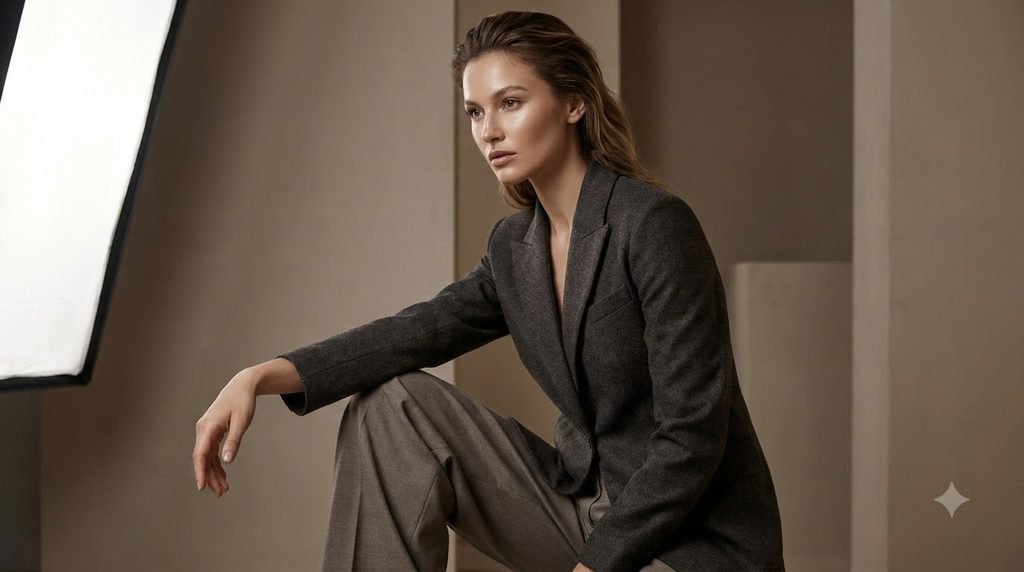
14. Travel Photography Enhancement Prompt
Improve travel photographs while keeping the original location recognizable.
Enhance this travel photograph with professional travel
photography quality. Preserve the original location,
main subject, and important environmental details.
Improve exposure, natural colors, atmospheric lighting,
and image clarity. Add subtle depth and balanced contrast
while keeping the photograph authentic and realistic.
15. Sunset Silhouette Photography Prompt
Create a beautiful silhouette effect with a warm sunset background.
Transform the uploaded photograph into a beautiful
sunset silhouette composition. Preserve the subject's
original pose and recognizable outline. Create a warm
orange and golden sky, natural atmospheric lighting,
and a balanced dark silhouette. Keep the scene
photographic and avoid adding unnecessary objects.
16. Fashion Street Photography Prompt
Give a portrait an urban fashion photography appearance.
Edit the uploaded photograph into a modern street
fashion editorial image. Preserve the person's original
identity, facial features, clothing design, and pose.
Use an urban background, natural daylight, subtle
cinematic color grading, and realistic environmental
details. Maintain a premium street photography style.
17. Professional Headshot Editing Prompt
This prompt is suitable for professional profiles and business-related photographs.
Create a professional business headshot from the
uploaded photograph. Preserve the person's identity,
facial features, and natural expression. Use balanced
studio lighting, a clean neutral background, realistic
skin texture, and professional composition. Keep the
result approachable, authentic, and suitable for a
professional profile.
18. Fantasy Portrait Photography Prompt
Experiment with an imaginative environment while maintaining a recognizable subject.
Transform the uploaded portrait into a creative fantasy
photograph. Preserve the subject's identity and facial
features. Create an atmospheric fantasy environment
with beautiful natural-looking light, subtle magical
visual elements, detailed scenery, and cinematic depth.
Maintain realistic photographic textures and avoid
distorting the original subject.
19. Luxury Lifestyle Photography Prompt
Create an elegant lifestyle photograph with a sophisticated visual appearance.
Give the uploaded photograph a premium luxury lifestyle
photography style. Preserve the person's identity,
original pose, and important details. Use elegant
lighting, refined colors, realistic environmental
textures, and a sophisticated background. Create a
natural editorial photograph without adding fake
expensive objects or misleading brand details.
20. Natural Skin Retouching Prompt
Use this prompt when you want subtle improvements without an artificial appearance.
Retouch the uploaded portrait with a natural professional
photography approach. Preserve the person's identity,
facial structure, expression, and individual features.
Make only subtle lighting and color adjustments. Reduce
temporary visual distractions while maintaining natural
skin texture, pores, and realistic details. Avoid
plastic-looking skin or excessive smoothing.
21. Dramatic Studio Lighting Prompt
Create a powerful portrait with controlled highlights and shadows.
Enhance the uploaded portrait with dramatic professional
studio lighting. Preserve the original identity, face,
and pose. Introduce directional side lighting, carefully
controlled highlights, deep but detailed shadows, and
a simple dark background. Maintain realistic skin
texture and a high-quality editorial photography look.
22. Nature Photography Enhancement Prompt
Make landscapes and nature photographs more visually clear while keeping them authentic.
Improve the uploaded nature photograph with realistic
professional landscape photography adjustments. Preserve
the original environment, plants, trees, and important
natural details. Enhance exposure, color balance,
atmospheric depth, and clarity. Keep the colors natural
and avoid creating unrealistic scenery.
23. Professional Wedding Portrait Prompt
Create an elegant wedding photography appearance.
Enhance the uploaded wedding photograph with a timeless
professional wedding photography style. Preserve the
identity, expressions, clothing, and original poses of
all people. Add soft romantic lighting, balanced warm
colors, natural skin tones, and gentle background depth.
Maintain realistic fabric and environmental details.
24. Moody Editorial Photography Prompt
This prompt is useful for creative portraits and dramatic visual storytelling.
Transform the uploaded photograph into a moody editorial
photograph. Preserve the subject's identity and original
composition. Use controlled shadows, muted colors,
subtle contrast, directional lighting, and realistic
texture. Create an atmospheric professional image
without losing important details.
25. High-Detail Photography Enhancement Prompt
Improve the overall appearance of a photograph without changing its original meaning.
Enhance the uploaded photograph with careful professional
image editing. Preserve the original subject, identity,
objects, and composition. Improve visible detail,
exposure, color balance, and clarity while keeping
natural textures. Avoid artificial sharpening, invented
details, and unrealistic visual changes.
26. Blue Hour City Photography Prompt
Create a calm city atmosphere shortly after sunset.
Edit the uploaded city photograph with a realistic
blue hour photography style. Preserve the original
buildings, architecture, and scene composition. Use
deep blue evening tones, balanced artificial lights,
subtle reflections, and clear environmental details.
Create a professional urban photograph without
changing recognizable structures.
27. Magazine Cover Portrait Style Prompt
Experiment with a magazine-inspired portrait for creative projects.
Transform the uploaded portrait into a premium magazine
editorial photograph. Preserve the subject's identity,
facial features, and pose. Use professional studio
lighting, clean composition, elegant color grading,
and realistic photographic detail. Keep the background
simple and leave suitable empty space for a designer
to add magazine text later. Do not generate text.
How to Use AI Photo Editing Prompts Step by Step
You do not need advanced photography or graphic design knowledge to begin experimenting with AI photo editing. Follow these simple steps to get started.
Step 1: Choose a Suitable Photograph
Select a photograph that matches your editing idea. A clear, well-lit image is often a useful starting point because the main subject and important details are easier for an image editing system to interpret.
Check that you have permission to edit and use the photograph, especially if it belongs to someone else.
Step 2: Select an AI Image Editing Tool
Choose a tool that supports the type of editing you need. Some platforms offer background replacement, while others focus on image generation, portrait enhancement, or more advanced editing features.
Check the available features, usage limits, privacy settings, and pricing before uploading personal photographs.
Step 3: Upload Your Photograph
Open the editing feature and upload your selected image. Follow the platform’s instructions for selecting an image or starting an editing conversation.
Step 4: Copy and Customize a Prompt
Choose one of the prompts from this guide. Copy it and make small changes according to your preferred background, lighting, color palette, or photography style.
Remember that the best prompt is one that describes your actual editing goal rather than simply using many impressive-sounding words.
Step 5: Review the Generated Result
After the tool produces an edited image, examine the important details. Check the face, hands, background, clothing, objects, and overall composition. AI-generated changes can sometimes introduce errors.
Step 6: Improve the Result with Small Changes
If the first result is not exactly what you wanted, request one specific adjustment at a time. For example, you could ask for softer lighting or a less distracting background while keeping everything else unchanged.
Making small changes is often easier to control than rewriting the entire prompt repeatedly.
Popular AI Tools for Photo Editing
Several AI-powered platforms offer image generation or editing features. Their capabilities and available plans can change, so check their official websites before choosing one.
- ChatGPT: Can help users generate and edit images through supported image features.
- Adobe Firefly: Offers AI-powered creative tools, including image editing features.
- Canva: Provides accessible design and AI-powered visual editing features.
- Google Gemini: Offers image generation and editing capabilities in supported experiences.
Each tool may interpret the same prompt differently. A prompt that produces a good result on one platform may need adjustments on another.
Tips for Getting Better Results from AI Photo Editing
Learning to write effective prompts takes experimentation. Even a detailed instruction may produce a result that needs improvement. These practical tips can help you make your editing process more consistent.
Use Clear and Specific Instructions
Avoid writing instructions that are too general. Instead of saying “make this picture professional,” explain the appearance you want. Mention lighting, background, colors, and composition where relevant.
Preserve Important Details
When editing personal photographs, explain which details should remain unchanged. This is especially important for faces, clothing, objects, and recognizable locations.
Do Not Add Too Many Changes at Once
Combining several complicated editing requests in one prompt can make the result less predictable. Begin with the most important change and gradually introduce additional adjustments.
Experiment with Different Photography Styles
Try cinematic, editorial, vintage, minimalist, and natural photography styles. Comparing different results can help you discover which visual direction works best for your photograph.
Check the Final Image Carefully
AI tools can occasionally produce unusual fingers, distorted objects, inconsistent backgrounds, or incorrect details. Always review the final image before sharing it or using it for a professional project.
Common AI Photo Editing Mistakes to Avoid
Beginners often make a few simple mistakes that can affect their results. Understanding these problems can save time and improve the overall editing experience.
1. Writing Extremely Vague Prompts
Instructions such as “make it amazing” or “make it HD” do not provide enough visual information. Explain exactly what you want to improve.
2. Ignoring the Original Photograph
A prompt should match the photograph you upload. Asking for a complex background transformation in an image with a very unclear subject may produce unpredictable results.
3. Requesting Too Many Unrelated Effects
Combining a vintage style, futuristic background, dramatic lighting, cartoon appearance, and realistic portrait effects may create conflicting instructions. Choose a consistent visual direction.
4. Expecting Perfect Results Every Time
AI image editing is not always precise. Different tools, models, and photographs can produce different outcomes. Treat the first result as a starting point rather than a guaranteed final image.
5. Forgetting Image Rights and Privacy
Do not upload someone else’s private photographs without permission. Also, avoid sharing sensitive personal information through image editing platforms unless you understand their privacy policies.
Are AI Photo Editing Prompts Free to Use?
Many written AI photo editing prompts can be created and used without paying for a prompt itself. However, the image editing platform may have its own subscription fees, usage limits, or paid features.
The prompts in this article are original examples written for educational and creative use. You can customize them for your own editing projects. Always review the terms of the image editing platform you choose, because the rights and permitted uses of generated images can differ between services.
Can AI Photo Editing Prompts Be Used for Business?
AI photo editing prompts can support a variety of creative and business-related tasks. For example, small businesses may experiment with product photography, online sellers may improve image presentation, and content creators may explore different visual styles for their websites and social media pages.
However, businesses should ensure that edited images accurately represent their products and services. Avoid using AI-generated changes that could mislead customers about a product’s appearance, features, or quality.
Frequently Asked Questions (FAQs)
1. What are the best AI photo editing prompts?
The best prompts depend on your editing goal. Cinematic portrait, professional studio, golden hour, natural retouching, and product photography prompts are useful starting points. Choose a prompt that matches your original image and the result you want.
2. How do I write a good AI photo editing prompt?
Describe the main subject, the changes you want, your preferred photography style, the lighting, and the details that must remain unchanged. Use clear instructions and avoid unnecessary descriptions.
3. Can I use AI prompts to edit my own photos?
Yes. Many AI image editing tools support uploading personal photographs and describing the changes you want. The available features depend on the platform you use.
4. Which AI tool is best for photo editing?
There is no single best tool for every editing task. ChatGPT, Adobe Firefly, Canva, and Google Gemini offer different image-related features. Compare their editing capabilities, pricing, privacy policies, and output quality before choosing one.
5. Can AI photo editing prompts change a background?
Yes, supported image editing tools can replace or modify backgrounds. Describe the new environment, lighting, and composition, and explain which parts of the original photograph should remain unchanged.
6. How can I make an AI-edited portrait look realistic?
Request natural skin texture, balanced lighting, realistic shadows, and accurate facial features. Avoid excessive smoothing and overly dramatic effects if you want a natural photographic appearance.
7. Do longer AI photo editing prompts produce better results?
Not necessarily. A short, clear prompt can sometimes work better than a very long instruction. Include the details that matter most instead of adding unnecessary words.
8. Can I use these prompts for different AI image editors?
Yes. You can adapt these prompts for different image editing platforms. However, each platform may interpret instructions differently, so you may need to change the wording or simplify certain requests.
9. Why does an AI editor sometimes change a person’s face?
AI editing systems may regenerate or modify image details while processing an image. To reduce unwanted changes, clearly request that the original identity, facial structure, and expression be preserved. Always check the final result.
10. Are AI-edited photographs suitable for social media?
They can be used for social media when you have the necessary image rights and follow the platform’s rules. Review the final image for accuracy, privacy concerns, and any disclosure requirements that may apply.
Conclusion
AI photo editing prompts make it easier to experiment with different photography styles and creative ideas. From cinematic portraits and luxury fashion photography to product images and natural photo enhancement, a clear instruction can help you communicate the result you want.
The 27 examples in this guide provide a starting point for beginners and experienced creators. You can copy them, customize the details, and experiment with different AI image editing tools to discover new visual possibilities.
Remember that successful editing is not just about writing a long prompt. It is about understanding your photograph, describing the changes clearly, and reviewing the result carefully. Start with simple adjustments, experiment with different styles, and improve your instructions as you learn.
Explore more creative ideas and ready-to-use AI prompts on HMPROMPT to continue improving your image creation and editing workflow.