
Artificial intelligence is changing how people work, learn, and manage digital tasks. Modern AI systems can do much more than answer questions or generate text. With the right tools and instructions, they can search information, analyze documents, interact with software, and complete tasks through a series of connected steps. These systems are commonly known as AI agents.
However, learning how to build AI agents can feel overwhelming when you encounter unfamiliar terms such as large language models, context windows, embeddings, vector databases, retrieval-augmented generation (RAG), and workflow orchestration. Understanding these concepts first makes it easier to design useful and reliable AI applications.
In this guide, we will explore the essential AI agent fundamentals in simple English. You will learn how AI models process information, how agents access external knowledge, why prompt engineering matters, and how technologies such as LangChain, LangGraph, and the Model Context Protocol can help connect different components.
1. What Is an AI Agent?
An AI agent is a software system that uses an AI model to interpret a goal, decide which actions may help achieve it, and interact with available tools when necessary. Depending on its design, an agent may perform several steps, check results, and adjust its approach before producing a final response.
A standard chatbot generally responds to a message using the information available to it. An AI agent can go further by using connected tools and following a defined workflow.
For example, imagine a business wants to create an AI customer support assistant. A customer asks about a delayed order. A basic chatbot may provide general delivery information, while a properly configured AI agent could look up the order status, retrieve the relevant delivery policy, and explain the available options.
The agent’s capabilities depend on its model, instructions, tools, permissions, and connected data sources. An AI agent does not automatically have access to private databases or every application. Those connections must be configured appropriately.
2. Understand Large Language Models (LLMs)
A large language model, or LLM, is an AI model trained to process and generate language. Many modern LLMs can also work with code, images, and other types of input, depending on the model’s capabilities.
Examples include models offered by OpenAI, Anthropic, and Google. Developers use these models to power chatbots, writing assistants, research applications, and AI agents.
When an application sends a request to an LLM, the model processes the supplied instructions and context to generate an output. However, an LLM does not automatically know the latest information or the private details stored in a company’s internal systems.
This distinction is important when building AI agents. A model can provide language understanding and generation, but external tools and knowledge sources may be needed to complete real-world tasks.
How AI Models Use Tokens
LLMs process text as tokens rather than simply counting whole words. A token may represent a complete word, part of a word, punctuation, or another text element. The exact token count depends on the tokenizer and the content being processed.
Tokens are important because model context limits, processing requirements, and API pricing may depend on token usage. Developers should understand input tokens, output tokens, and total usage when building applications that use paid AI services.
3. What Is a Context Window?
A context window is the amount of information a model can process within a particular interaction or request. It may include system instructions, the user’s message, conversation history, and relevant documents supplied by the application.
For example, an AI assistant helping an employee understand a company policy may need the employee’s question, earlier conversation messages, and the appropriate section of the policy document.
Every model has its own context limits. Even when a model supports a large context window, providing too much irrelevant information can increase costs, slow processing, and make it harder to focus on the most important details.
A practical approach is to provide the model with relevant information rather than sending every available document with every request. This is one reason retrieval-augmented generation is useful.

4. What Are Embeddings in AI?
Embeddings are numerical representations of information generated by an embedding model. They help software compare the semantic similarity between pieces of text and, in some systems, other types of data.
Consider two phrases: “How can I reset my password?” and “Steps for recovering account access.” Their wording is different, but their meanings are closely related. A suitable embedding model may represent these phrases as vectors that are close together in a mathematical space.
This capability supports semantic search, which aims to retrieve information based on meaning rather than relying exclusively on exact keyword matches.
For a business knowledge base, embeddings can help connect employee questions with relevant documents even when the questions use different wording from the original material.
5. How Vector Databases Work
A vector database stores and retrieves vector representations, often alongside the original text and metadata. It allows an application to search for items that are mathematically similar to a given query vector.
Imagine a company has thousands of documents covering human resources, customer support, product information, and internal procedures. Searching only for exact words may fail when employees use unfamiliar phrases or synonyms.
A vector search system can compare an employee’s query with stored document embeddings and return potentially relevant passages. The application can then use these passages to help answer the question.
Tools such as Chroma and Pinecone are examples of technologies used for vector storage and retrieval. The best option depends on the application’s scale, infrastructure, budget, security requirements, and technical needs.
Why Document Chunking Matters
Large documents are often divided into smaller sections called chunks before they are embedded and indexed. Chunking makes it possible to retrieve relevant parts of a document instead of returning the entire file.
However, chunks that are too small may lose important context, while chunks that are too large may include unnecessary information. Some systems use overlapping chunks to preserve meaning across section boundaries.
There is no single chunk size that works best for every project. Developers should test different approaches using representative questions and evaluate whether the retrieved information is accurate and relevant.
6. What Is Retrieval-Augmented Generation (RAG)?
Retrieval-augmented generation, commonly called RAG, combines information retrieval with AI text generation. It helps an application provide a model with relevant external information at the time a question is asked.
A typical RAG workflow has three main stages:
- Retrieval: The system searches a knowledge source and finds information relevant to the user’s question.
- Augmentation: The application adds the retrieved information to the model’s instructions or context.
- Generation: The model uses the question and supplied context to generate a response.
For example, an employee asks, “Can I work remotely from another country?” The RAG system searches the company’s policies, retrieves relevant passages, and provides them to the model so it can prepare an answer based on the available documentation.
RAG can make answers more relevant to private or frequently updated information without requiring the model to be retrained every time a document changes. The knowledge base still needs to be maintained, and the system must retrieve suitable information to produce a useful answer.
RAG does not eliminate every AI error. Retrieved documents may be outdated, incomplete, or irrelevant. Strong implementations evaluate retrieval quality, preserve source references, and instruct the model to acknowledge when the available evidence does not answer a question.

7. What Is LangChain?
LangChain is a framework that helps developers build applications powered by language models. It provides components and integrations that can simplify common tasks, including model calls, prompt templates, structured outputs, retrieval, and tool connections.
Without a framework, developers may need to write and maintain separate code for different model providers, data sources, and application components. Frameworks can reduce repetitive work and make these components easier to combine.
For example, a document assistant might use a model integration to generate answers, an embedding model to represent documents, and a retriever to find relevant passages. LangChain provides building blocks that developers can use to assemble this workflow.
Frameworks do not remove the need to understand the underlying concepts. Developers still need to manage API credentials, errors, data quality, permissions, costs, and the behavior of connected services.
8. What Is LangGraph and Why Is It Useful?
Some AI applications require more than a straightforward sequence of operations. They may need conditional decisions, repeated attempts, approval steps, or multiple specialized tools. LangGraph is designed to help developers build stateful, multi-step workflows for these kinds of applications.
A LangGraph workflow can be understood through three concepts:
- Nodes: Individual operations, such as searching documents, drafting content, or checking an answer.
- Edges: Connections that determine how execution moves between operations.
- State: Information maintained and updated as the workflow progresses.
Consider an AI research assistant. One step gathers information, another organizes the findings, and a review step checks whether important questions remain unanswered. Depending on the result, the workflow can request additional research or continue to the final report.
This approach makes the workflow easier to inspect and control than an unstructured sequence of model calls. It can also support human approval when a decision requires additional oversight.
9. What Is the Model Context Protocol (MCP)?
The Model Context Protocol, or MCP, is a standard for connecting AI applications with external tools and data sources. It provides a consistent way for compatible clients and servers to exchange information about available capabilities and how to use them.
Imagine an AI assistant that needs to work with a calendar, search internal documents, and retrieve information from a support system. Without a shared integration approach, developers may need to create and maintain separate connections for each service.
MCP can help standardize these connections. An MCP server can expose capabilities that a compatible AI application may discover and invoke, subject to the application’s configuration and permissions.
For instance, a calendar integration might allow an assistant to check available times or prepare a meeting invitation. Whether the assistant can actually create an event depends on the tools and permissions that have been granted.
MCP does not automatically grant unrestricted access to every application, nor does it replace authentication and security controls. Developers should review tool permissions, validate inputs, protect credentials, and require human confirmation for sensitive actions when appropriate.
10. Why Prompt Engineering Is Important
Prompt engineering is the process of designing instructions and context to help an AI model produce more useful outputs. A well-written prompt explains the task, relevant background, constraints, and desired response format.
For example, the instruction “Write about cybersecurity” leaves many decisions open. A more useful instruction might be: “Write a beginner-friendly cybersecurity checklist for small business owners. Use clear headings, practical examples, and a final action checklist. Avoid unsupported claims.”
The second prompt defines a clearer audience, purpose, style, and structure. These details help the model understand what a successful response should look like.
Common Prompting Techniques
- Zero-shot prompting: Ask the model to complete a task without providing examples.
- One-shot prompting: Provide one example that demonstrates the expected format or style.
- Few-shot prompting: Provide several examples to illustrate a pattern the model should follow.
- Structured prompting: Specify requirements, constraints, output fields, and formatting rules.
Different techniques suit different tasks. Examples can improve consistency, while explicit instructions can reduce ambiguity. However, a carefully written prompt cannot guarantee factual accuracy, so important outputs should still be checked.

11. How These Technologies Work Together
The real value of AI agent development comes from combining these fundamentals into a coherent system. Each component serves a different purpose, and not every application needs all of them.
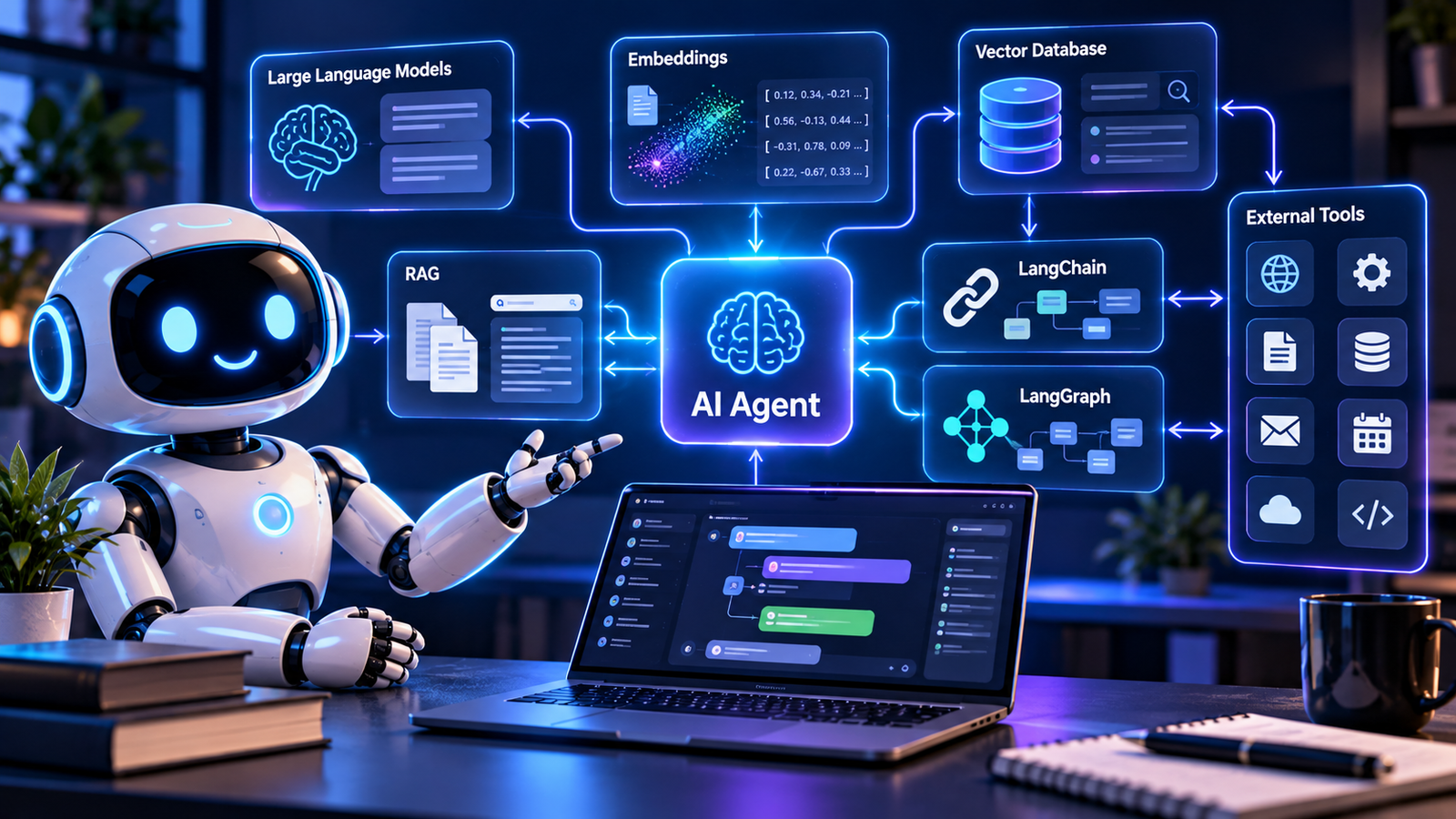
Imagine a company building an internal AI knowledge assistant. The LLM interprets questions and generates responses. Prompt instructions define the assistant’s behavior. Embeddings and a vector database help retrieve relevant documents. RAG supplies the retrieved passages to the model. LangChain can help connect application components, while LangGraph can coordinate a more complex workflow. MCP can provide standardized connections to compatible external tools.
The overall process might look like this:
- An employee asks a question in the application.
- The system interprets the request and identifies the information needed.
- A retrieval component searches the approved knowledge base.
- Relevant passages are added to the model’s context.
- The model generates an answer grounded in the supplied information.
- If an additional action is required, the workflow may call an authorized tool.
- The application presents the result and, where possible, identifies its sources.
This architecture can reduce the time spent searching for information and make internal knowledge easier to use. Its effectiveness depends on the quality of the source data, retrieval process, model, and application design.
12. Practical Tips for Building Reliable AI Agents
Understanding the technology is only the beginning. Reliable AI applications also require testing, security, and ongoing maintenance.
- Start with one clear task: Build a small assistant that solves a specific problem before adding more features.
- Choose the right model: Compare quality, speed, context limits, available capabilities, and cost.
- Improve your data: Organize documents, remove outdated information, and preserve useful metadata.
- Test retrieval quality: Check whether the system finds the correct passages for realistic user questions.
- Control tool access: Give agents only the permissions needed to complete their assigned tasks.
- Evaluate results: Test factual accuracy, relevance, consistency, failure handling, and response time.
- Monitor costs: Track token usage, external service calls, and unnecessary workflow steps.
- Protect private information: Use appropriate access controls, secure API keys, and follow relevant data protection requirements.
It is also important to remember that an AI agent can make mistakes or interpret instructions incorrectly. High-impact actions should include appropriate safeguards, logging, and human review.
13. A Beginner-Friendly Learning Roadmap
If you are new to AI agent development, learning every framework at once is unnecessary. A step-by-step approach can make the process easier to understand.
- Learn LLM fundamentals: Understand tokens, context windows, model inputs, outputs, and API basics.
- Practice prompt engineering: Create clear instructions and compare the results of different prompts.
- Build a basic AI application: Send a request to a model and display its response.
- Learn embeddings and semantic search: Experiment with finding relevant information from a small collection of documents.
- Create a RAG prototype: Retrieve passages and use them to answer questions about your documents.
- Explore LangChain and LangGraph: Use framework components to organize integrations and multi-step workflows.
- Study MCP and tool security: Learn how compatible applications connect to external capabilities and how to control access.
- Test a complete project: Evaluate its accuracy, security, usability, and operating costs.
A simple document question-answering assistant is a useful first project because it brings together several important concepts without requiring a complicated business workflow.
Conclusion
Learning AI agent fundamentals gives you a stronger foundation for understanding modern AI applications. Large language models provide language capabilities, context windows define how much information can be processed, and embeddings support semantic search. Vector databases help retrieve relevant information, while RAG connects that information with model-generated answers.
Frameworks such as LangChain and LangGraph can help organize application components and multi-step workflows. The Model Context Protocol provides a standardized approach to connecting compatible AI applications with external tools. Prompt engineering helps developers communicate requirements more clearly and guide model behavior.
You do not need to master every technology before building your first project. Start with a small, useful application, test it carefully, and add complexity only when it solves a real problem. By learning these concepts in the right order, you can develop a practical understanding of how AI agents work and how to build more capable applications over time.
Frequently Asked Questions
What should I learn before building AI agents?
Start with basic programming, LLM concepts, API usage, prompt engineering, and token usage. You can then explore embeddings, vector databases, RAG, and agent frameworks.
What is the difference between an LLM and an AI agent?
An LLM generates responses from its input and learned patterns. An AI agent uses a model within an application that can select tools, perform actions, and coordinate multiple steps according to its design and permissions.
Is RAG required for every AI agent?
No. RAG is useful when an application needs to retrieve information from external documents or knowledge bases. Other agents may work with tools or workflows that do not require document retrieval.
Are LangChain and LangGraph the same?
No. LangChain provides components for building LLM applications, while LangGraph focuses on orchestrating stateful workflows involving nodes, transitions, and conditional execution.
Does MCP replace APIs?
No. MCP provides a standardized protocol for connecting compatible AI applications with tools and resources. Those integrations may still interact with underlying APIs and services.
Can beginners build an AI agent without spending much money?
Yes. Beginners can start with a small prototype, open-source tools, and locally available models where suitable. Hosted model APIs may charge for usage, so check pricing and set limits before running experiments.